An FTP test is not a fitness exam you pass or fail. It is a field estimate of the highest power you can theoretically sustain for about an hour, used to scale workouts so endurance, threshold, and VO2 sessions are hard enough to work without turning every ride into a maximal effort.
Indoor testing is attractive because the trainer removes traffic, corners, wind, and coasting. That consistency is valuable, but only if you repeat the same protocol under similar conditions. The best test is the one you can execute honestly and use again six weeks later.
Quick answer: which FTP test should you choose?
Choose a ramp test if you want a short, repeatable protocol with less pacing skill. Choose a 20-minute test if you are comfortable pacing a long, hard effort and want a result based on a sustained performance. Neither is automatically more accurate for every rider.
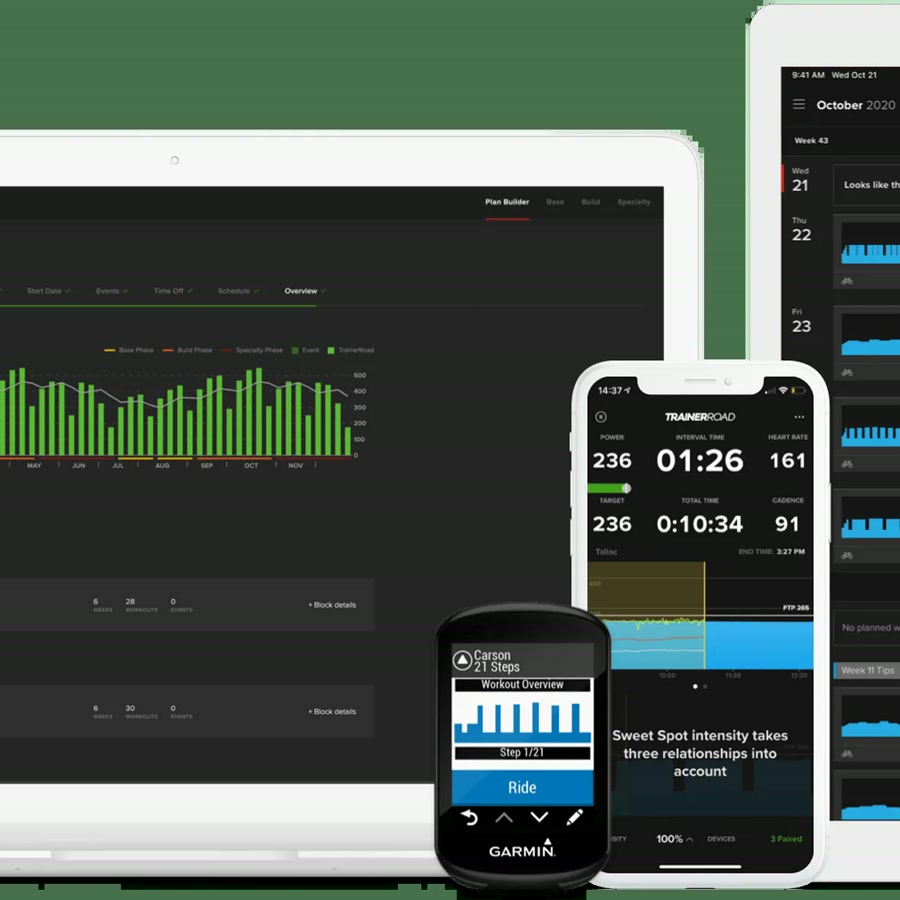
The number produced by the app is an estimate, not a laboratory measurement. TrainerRoad, for example, applies a platform-specific percentage to the best one-minute power from its ramp protocol, while the classic 20-minute method subtracts a fatigue factor from the 20-minute average. Do not compare outputs as if they came from one universal formula.
| Protocol | Time | Best fit | Main weakness |
|---|---|---|---|
| Ramp test | About 20-30 min | Repeatability and simple pacing | Can overestimate riders with strong anaerobic power |
| 20-minute test | About 45-60 min | Riders who pace steadily | Requires a full sustained effort and good motivation |
| 8-minute test | About 30-45 min | Riders who dislike 20 minutes | Shorter efforts can be influenced more by anaerobic contribution |
What FTP measures - and what it does not
FTP is a practical training anchor. It helps an app prescribe a target such as 60 percent of FTP for endurance or 110 percent for a VO2 interval. It does not describe your entire physiology, predict race results by itself, or tell you whether you are recovered today.
Heart rate, cadence, perceived effort, and power history still matter. A test after poor sleep, a hard block, or a hot indoor session can produce a lower result than your current potential. Record that context instead of instantly changing every zone.
Treat FTP as a control setting for training, not as an identity. A conservative number makes more workouts productive than an inflated number that turns every session into a survival test.
Prepare the bike, trainer, and room
- 1
Use the equipment you train on
Test on the smart trainer, smart bike, or power meter that will control most of your workouts. Switching devices makes the trend harder to interpret.
- 2
Warm up the trainer and your legs
Allow the trainer to reach a stable operating temperature and complete the app's recommended warm-up. Do not begin cold just to save ten minutes.
- 3
Control heat before it controls you
Use a strong fan aimed at your torso, ventilate the room, and start with a full bottle. Indoor heat can make a good effort collapse early.
- 4
Remove avoidable variables
Close other apps that might control the trainer, check the drivetrain, confirm device settings, and avoid testing immediately after a hard session.
How to do a ramp test
A ramp test starts easy and increases the target in small steps until you can no longer maintain the required power. The early minutes should feel almost too easy. The test becomes useful because the final steps are maximal, not because you sprint the opening block.
ERG mode is convenient but not mandatory. If your trainer traps you at an awkward cadence, use resistance or slope mode and shift to keep the pedals turning smoothly. The goal is a maximal aerobic effort, not a test of how long you can grind.
- 1
Follow the prescribed warm-up
Complete the easy spinning and short openers. These raise temperature and give the trainer time to settle.
- 2
Hold each step evenly
Keep cadence controlled and breathing relaxed early. Save focus for the point where the steps become genuinely demanding.
- 3
Stay seated and keep moving
Unless the workout says otherwise, avoid standing surges. A smooth final minute is easier to interpret than a sprint spike.
- 4
Stop when you cannot hold the target
Do not turn a failed step into chaotic pedaling. Record the last completed step and let the platform apply its published calculation.
If your first attempt ends because cadence collapses rather than because breathing and legs are at their limit, repeat after learning the trainer's cadence feel.
How to pace a 20-minute FTP test
The 20-minute test is a pacing problem. Start below the power you believe you can hold, settle into a sustainable rhythm, then increase only when you are confident you can finish the final five minutes. A heroic first five minutes followed by a long fade usually produces a less useful result.
Many versions include a short hard effort before the 20-minute block to reduce the contribution of short-duration anaerobic power. Follow the exact protocol your app specifies because the calculation depends on the protocol.
| Time | Execution cue |
|---|---|
| 0-5 minutes | Controlled and slightly restrained; you should believe the effort is sustainable. |
| 5-15 minutes | Lock cadence and breathing into a rhythm; avoid repeated power spikes. |
| 15-18 minutes | Increase only if the current pace is secure and form remains smooth. |
| 18-20 minutes | Commit to a strong finish without turning the last seconds into an unrelated sprint. |
Turn the result into useful training
Save the date, protocol, device, average power, heart rate, cadence, room temperature, and how the effort felt. Context is often more valuable than a single watt number. If the result is low but your effort never looked maximal, investigate setup or fatigue before changing every zone.
Use the new setting in a normal week. Watch whether easy power feels easy, threshold intervals are repeatable, and recovery is possible. A good FTP setting makes the week coherent; it should not make the next three days unrideable.
- Re-test after a meaningful training block or when workouts consistently feel mis-scaled.
- Keep the protocol and equipment consistent when comparing results.
- Use power to set targets and heart rate plus perceived effort to interpret the response.
- Lower the setting temporarily when fatigue, illness, heat, or a device issue explains the mismatch.
Common FTP testing mistakes
- Testing after a hard day and treating the result as a permanent ceiling.
- Starting a 20-minute test at a number chosen because it looks good rather than one you can sustain.
- Comparing a ramp result with a 20-minute result without noting the different calculations.
- Running two apps that both try to control the trainer.
- Ignoring heat, fan position, hydration, or a trainer that was not warmed up.
Key takeaways
- Pick the protocol you can execute consistently and repeat it when tracking progress.
- Ramp tests reduce pacing demands; 20-minute tests reward steady pacing but require more time.
- Follow the platform's own calculation. FTP formulas are not interchangeable.
- Record temperature, equipment, heart rate, cadence, and fatigue with the result.
- A useful FTP setting makes the week trainable; it is not a badge of status.
FAQ
A practical rhythm is at the start or end of a training block, often every four to eight weeks. Test sooner if workouts are clearly mis-scaled, but do not make testing your main hard session.
Sources and further reading
Primary research, public guidance, and product documentation used to check the claims in this guide.
- How to Test With the Ramp TestTrainerRoad Support
- How to Test With the 20-Minute and 8-Minute FTP TestsTrainerRoad Support
- FTP Testing: The Cornerstone of TrainingTrainerRoad Support