Fast summary
- A small trainer-versus-power-meter gap is normal because the devices measure at different points and each has its own tolerance.
- Compare steady intervals after warm-up, not two changing numbers on separate screens.
- For training continuity, choose one reference device. If you use the same bike power meter outside, power matching can keep indoor targets on that scale.
- Investigate a gap that grows with power, changes during the ride, appears on one side only, or exceeds the devices' combined plausible error.
Your trainer says 248 watts. Your pedals say 261. That does not prove either device is broken—and changing your FTP to make the numbers agree can create a larger training error than the original gap.
The useful question is not whether two meters show identical watts. It is whether each device is stable, whether the difference has a mechanical explanation, and which source should anchor your training history. This guide gives you a repeatable test instead of a screenshot argument.
Why two correct devices can disagree
A pedal or crank meter measures upstream of the chain. A direct-drive trainer measures downstream at or inside the trainer. Bearings, chain articulation, pulley alignment, lubrication, and cross-chaining consume some energy between those points. That is why an upstream meter commonly reads somewhat higher than a trainer, although the size is not a universal percentage.
Accuracy claims also stack. If one device is specified at plus or minus one percent and another at plus or minus two percent, an observed difference can be larger than either single claim without proving failure. Those percentages are specifications under stated conditions, not a promise that two independent units will overlap at every cadence and power.
| Pattern | More likely explanation | Next check |
|---|---|---|
| Stable 5–10 W gap | Different measurement locations or fixed offset | Use one reference consistently |
| Gap grows sharply with power | Drivetrain loss, scale error, or one device outside tolerance | Test several steady power levels |
| Gap changes after 15 minutes | Temperature settling or calibration behavior | Warm up and repeat |
| Difference appears at low cadence/high torque | Sampling or cadence sensitivity | Repeat at two cadences |
| Sudden spikes or zeroes | Connection/data loss rather than accuracy | Inspect the original files |
A dual-recording protocol that produces usable evidence
Dual recording means saving the trainer and bike power meter to separate devices during the same ride—for example, the trainer to Zwift and the pedals to a head unit. Do not pair both as competing power sources in the same app and assume you have captured both streams.
- 1
Stabilize the hardware
Install current firmware, charge the power meter, clean and lubricate the chain, and verify crank length and single- versus dual-sided settings.
- 2
Warm everything up
Ride easily for 10–15 minutes. Follow the manufacturer's calibration rules; do not force a spindown on a model designed not to need one.
- 3
Zero the bike meter
Perform its normal zero offset with the bike unloaded and stationary, following that manufacturer's instructions.
- 4
Record three plateaus
Hold roughly endurance, tempo, and threshold power for 4–6 minutes each. Keep cadence steady, then repeat one plateau about 15 rpm higher.
- 5
Align and compare
Compare lap averages and the trend across power levels. Align file timestamps before judging short accelerations because devices smooth and transmit differently.
- 6
Repeat before condemning
If the result looks wrong, repeat on another day after checking battery, firmware, drivetrain, and calibration. A single ride is a clue, not a verdict.
Do not use a sprint peak as your accuracy test. Different sample rates, smoothing windows, and timestamp alignment can make two healthy devices report different one-second maxima.
How to interpret the result without moving the goalposts
Calculate the difference at each steady plateau: bike-meter average minus trainer average, then divide by the reference average if you want a percentage. More important than the exact arithmetic is whether the offset stays proportional. A repeatable modest gap is manageable. A gap that wanders, reverses direction, or expands disproportionately deserves troubleshooting.
Left-only power meters add another variable: they double one leg. If your balance changes with intensity or fatigue, the inferred total can move relative to a trainer even when both devices behave as designed. Test seated at stable cadence before comparing out-of-saddle work.
- Consistency beats cosmetic agreement: a stable scale supports progression tracking even if another meter reads differently.
- Use raw or lightly smoothed interval averages. Comparing a 3-second display with a 10-second display is not a test.
- Check whether the app recorded the intended source; duplicated sensor names make accidental pairing common.
- If the discrepancy exceeds the combined published tolerances after repeat testing, send both original files and setup details to the manufacturers.
PowerMatch and the one-reference-device decision
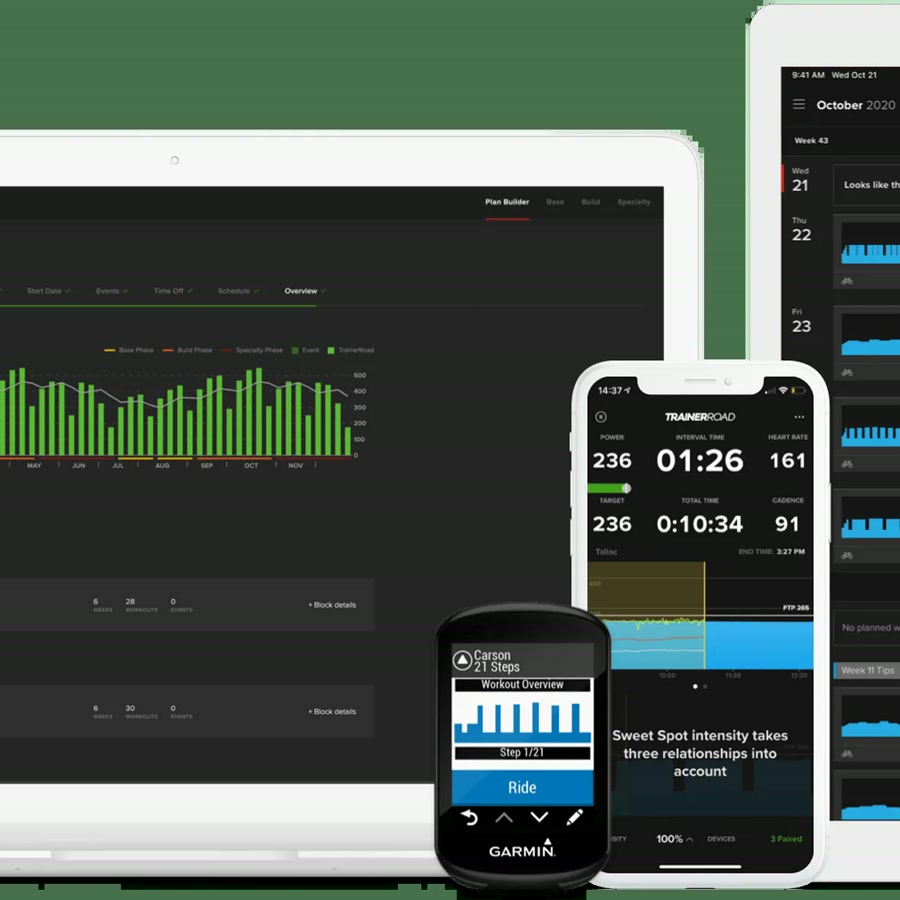
TrainerRoad's PowerMatch uses readings from a paired bike power meter to adjust smart-trainer resistance. The result is ERG control while the workout is displayed and recorded on the bike meter's scale. This is valuable when the same meter defines your outdoor FTP, zones, and race pacing.
Power matching is not an accuracy repair. It is a control strategy that neutralizes an offset for training continuity. It can also look less perfectly smooth because a strain-gauge meter reveals more pedal-stroke variation than a trainer's smoothed display. If you train only indoors, the trainer itself is usually the simpler reference.
| Situation | Best default |
|---|---|
| Same power meter used for outdoor training and racing | Use that meter as the reference; enable supported power matching indoors |
| Indoor-only bike without a power meter | Use trainer power and keep calibration/firmware consistent |
| Multiple household bikes | Use trainer power unless each rider has a stable personal meter |
| Virtual racing | Follow event/platform hardware rules and verify the selected source before the start |
When a discrepancy is a real fault signal
Escalate after repeatable evidence, not merely because one unit is higher. Red flags include a widening offset as the trainer heats, repeated zero-power gaps in one file, cadence-dependent steps that cannot be reproduced on another bike, grinding or belt noise, or a difference well outside the combined tolerance envelope.
Document trainer model and firmware, power-meter model and firmware, crank length, calibration results, room temperature, drivetrain condition, connection protocol, and both original activity files. That turns a vague support ticket into a test an engineer can use.
Key takeaways
- Two meters are not expected to match perfectly, especially when one measures before and one after the drivetrain.
- Use warm, steady plateaus and original files; do not diagnose accuracy from live display flicker or sprint peaks.
- Choose one reference device for longitudinal training data and use power matching when indoor/outdoor continuity matters.
- Repeatable drift and changing offsets matter more than a small fixed gap.
FAQ
There is no universal watt allowance. Consider both devices' published tolerances, their measurement locations, drivetrain condition, and whether the gap is stable across power levels. A repeatable small offset can be normal; a changing or disproportionately growing offset is more concerning.
Sources and further reading
Primary research, public guidance, and product documentation used to check the claims in this guide.
- Why trainer and power-meter numbers differWahoo Fitness Support
- KICKR power discrepancy troubleshootingWahoo Fitness Support
- PowerMatch: using power meters with smart trainersTrainerRoad Support
- Tacx NEO calibration and accuracy guidanceGarmin Support